
Important: This version of the mobile app will no longer be downloadable or supported as of Nov 1, 2025.
Download the NEW Vantaca Manage App for a more user-friendly and streamlined app experience!
Summary: This article explains how to Review an Inspection in the Mobile App.
- Select an Inspection from the Review Inspection section.
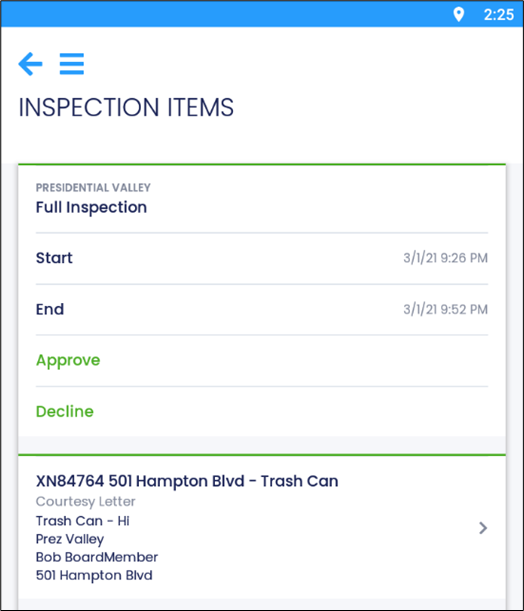
- From the Inspection Items page, you can perform the following actions:
-
Approve Inspection:
- Select Approve.
- The Current and Next Step fields cannot be edited.
- Enter a Follow Up Date and Due Date, if necessary.
- Enter a Note, if necessary.
- Enter an Email, if necessary.
- Select the Checkmark Icon
 to confirm.
-
Approve Inspection:
-
Decline Inspection:
- Select Decline.
- The Current Step field cannot be edited.
- Select the Next Step from the available options.
- Enter a Follow Up Date and Due Date, if necessary.
- Enter a Note, if necessary.
- Enter an Email, if necessary.
- Select the Checkmark Icon to confirm.
-
Edit Inspection:
- Select the Action Item to view the Violation’s details.
- Any changes can be saved by selecting the Checkmark Icon .
Comments
0 comments
Please sign in to leave a comment.