Important: This version of the mobile app will no longer be downloadable or supported as of Nov 1, 2025.
Download the NEW Vantaca Manage App for a more user-friendly and streamlined app experience!
Summary: This article explains what actions can be taken on the Inspections page of the Mobile App.
The Inspection page is where you can perform inspections for your associations.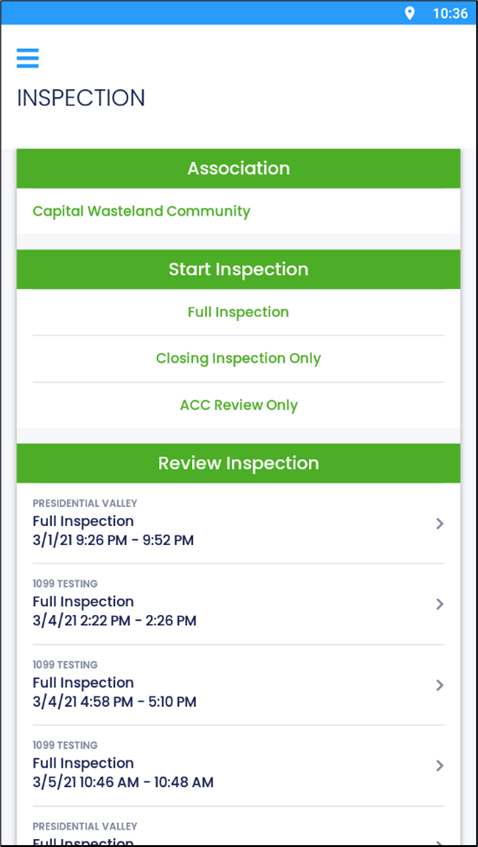
- Select the Association Name to select a different Association from the Association List.
- Select one of the available inspection types to begin a new inspection:
- Full Inspection
- Closing Inspection
- ACC Review
- Select an inspection to Review an Inspection currently in the Review Stage.
Comments